Air Bladder is a friendly companion system — not the official Cairn system. It gives you verbose 2e backgrounds, character, hireling and NPC generation, a marketplace, containers, and Warden-facing roll tables, with minimal automation and a lot of tooltips.
It descends from yochaigal/Cairn-FoundryVTT by Yochai Gal & Oskar Świda, which descends from the Electric Bastionland system and Into the Odd. Air Bladder is the first item in the Gear table on p. 17 of the Cairn 2e Player's Guide.
Install
Requires Foundry VTT v14.365 or higher.
- In Foundry's Game Systems menu, click Install System.
- Paste this manifest URL and install:
https://github.com/domfortunato/air-bladder/releases/latest/download/system.json
What you get
- Random or manual generation of Cairn 2e, Custom 2e and Barebones characters — each source toggles on or off, and Character Creation Mode re-rolls single parts until the person feels right. Rolled one at the table instead? Clear Use random generation and the same button opens an empty sheet, with the pick-lists ready and nothing handed to you
- The Warden's Dashboard — every one of the 45 Warden roll tables on a button, in one resizable, detachable window: travel and weather, encounters by terrain, NPCs, factions, monsters, and any table you have made yourself. Rolls stay private to you unless you say otherwise, and the generators and Warden's Damage are on it too
- Watches, kept for you — a day is three watches in Cairn, and the current one sits on everyone's screen above the player list. Vald's own calendar is there as an optional hack: twelve months, a six-day week, four seasons with a weather table each, a month grid anyone can open from the clock, a weather log, and room for the Warden's own days
- NPC, hireling, monster and faction generators — a career or a Background over a rolled stat block and a full pack, a complete monster from a danger tier, a faction dossier from the Setting Seeds tables — plus encounter tables with one-click Add to Scene
- .json character import from the official Cairn app, Kettlewright — for the Warden, and for players bringing in their own characters when the Warden allows
- Optional GLOG Magic — the official GLOG Magic hack behind a Warden switch: spells on scrolls, a found Grimoire binding pages, 1–4 Magic Dice with the rolled values written into the spell's own text, Mishaps on doubles, and all 100 GLOG spells as a compendium
- Custom 2e backgrounds as a third source — seven class backgrounds ship with the system, and Wardens can write, preview, lint and share their own
- Player-to-player item offers — give an item from its inventory row, or by dragging it onto another character's sheet; the offer is a chat card the other player accepts or declines, and accepting into a full pack simply over-burdens them after a warning that names the cost
- A marketplace and containers
- Three portrait-picker galleries: 80 character portraits by Jon Aspeheim, 368 creature and NPC tokens by tlomdev, and 22 monsters and 31 characters by Lydia Comer
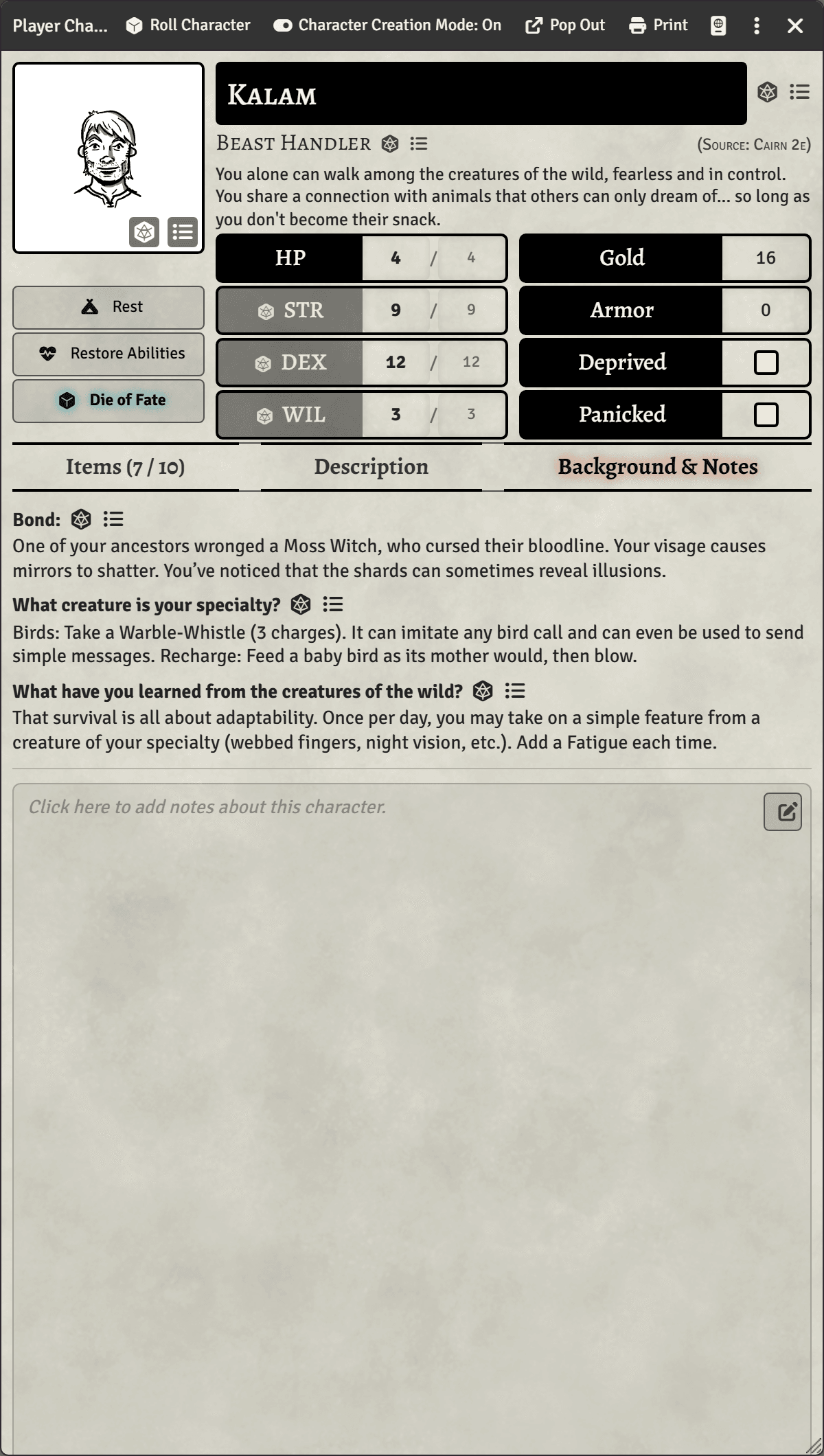
- Pop-out and printable character sheets — the whole character on one or two pages
- Works with the Torch module — a ready-made light-source file lights torches, lanterns, candles and the stranger lamps straight from the inventory, spending their uses
- Tooltips for players, and minimal automation — the rules stay in your hands
Screenshots
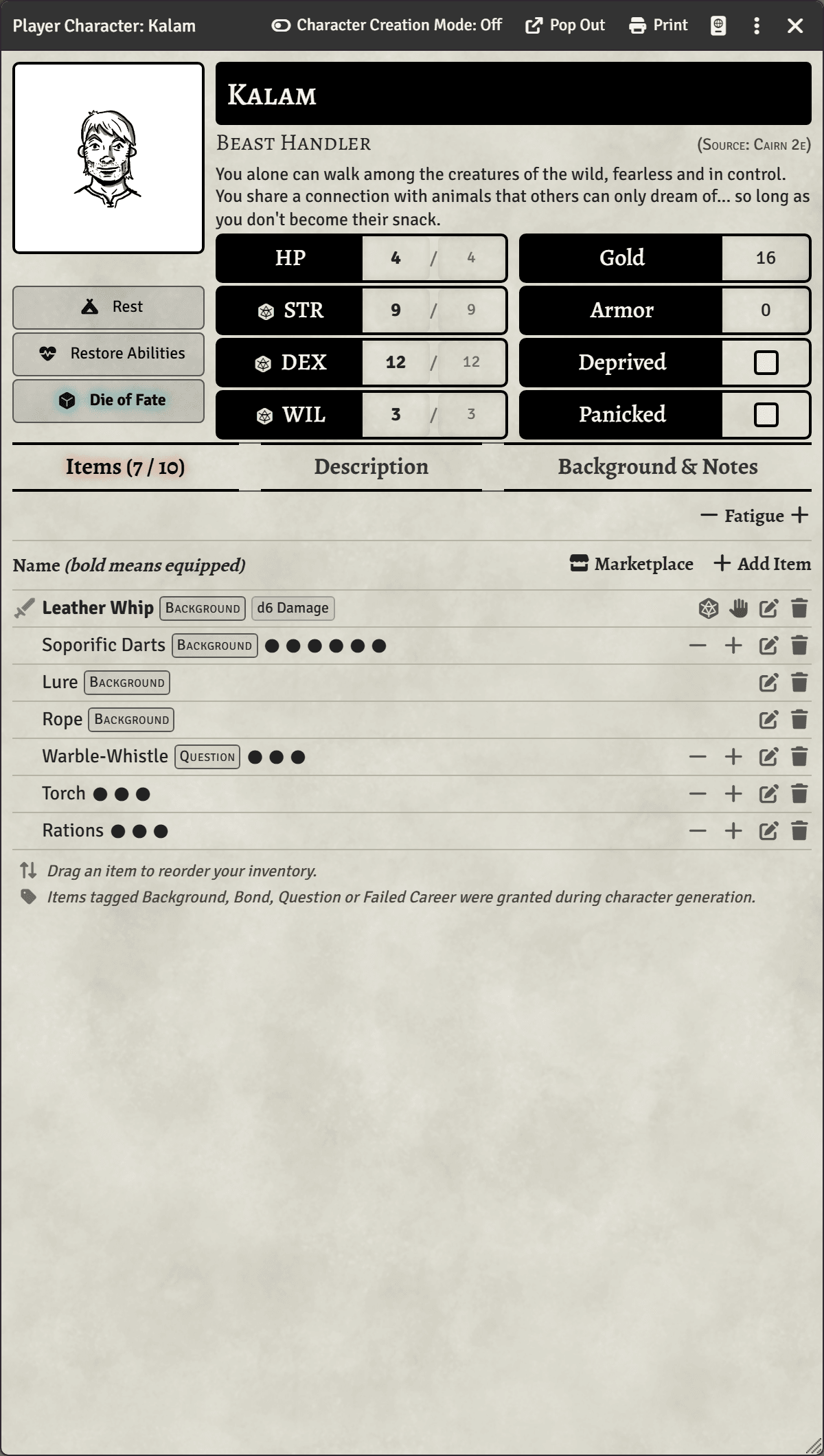
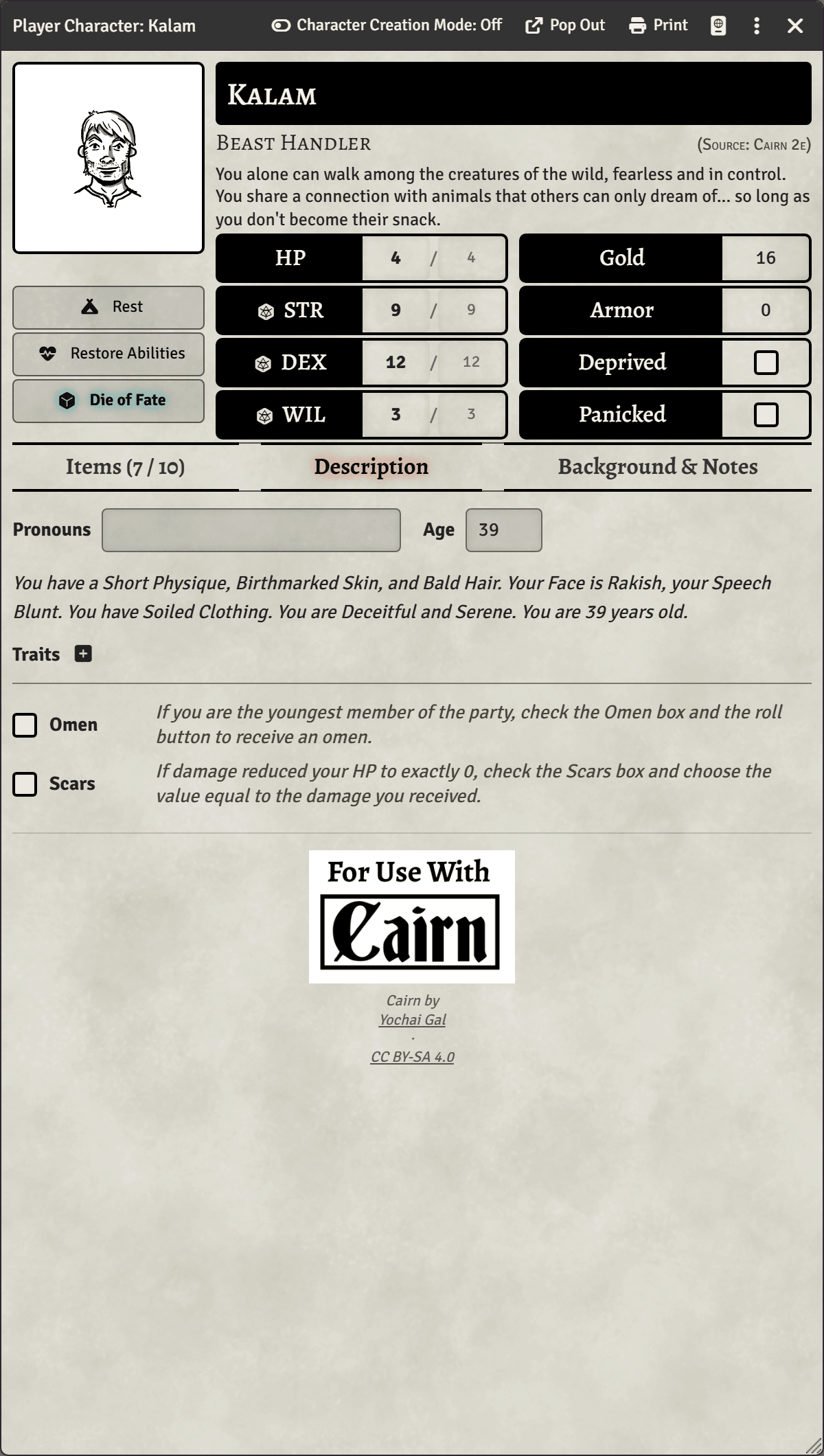
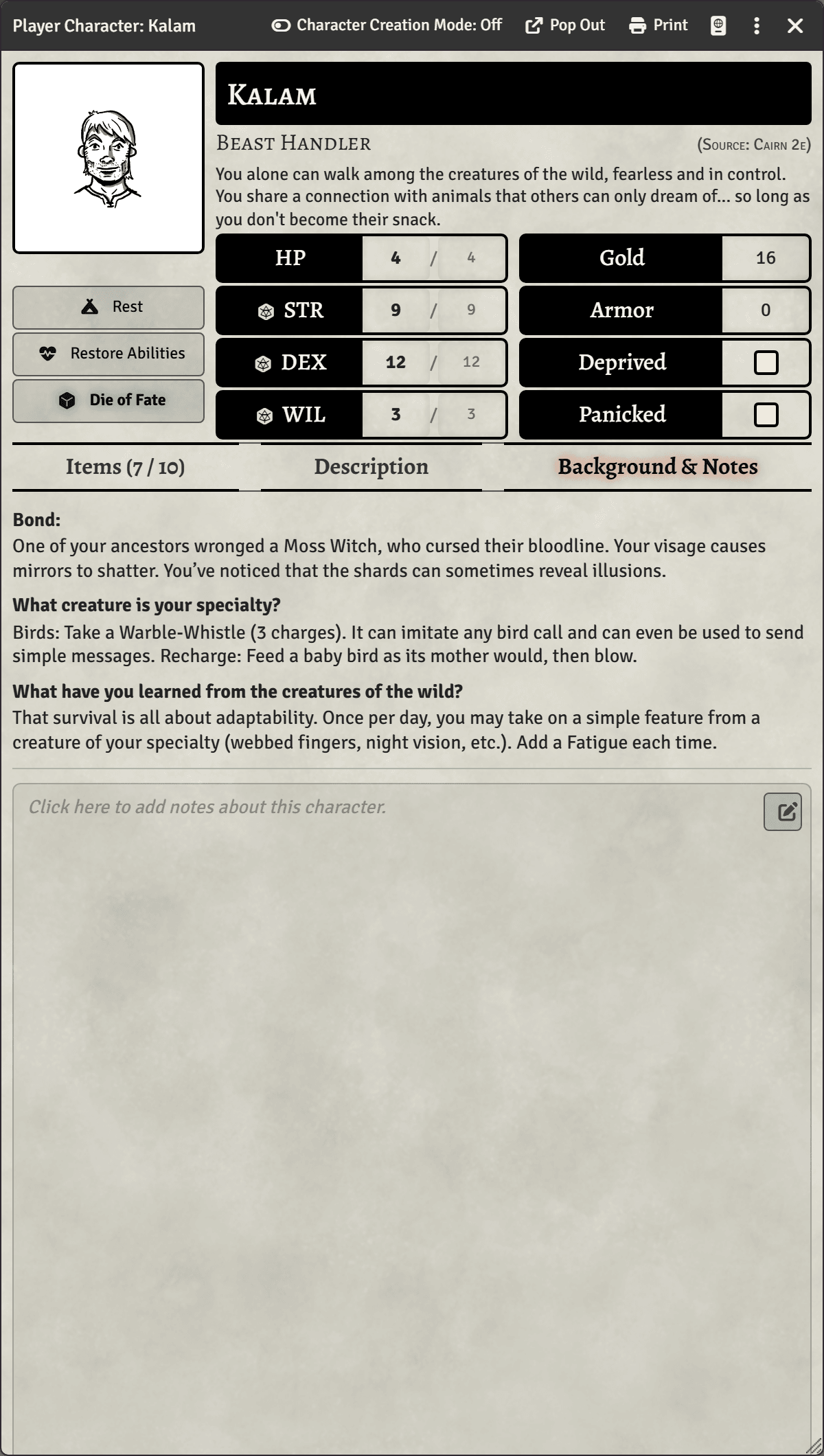
The character sheet — Items, Description, and Background & Notes tabs. Sheets follow your Foundry colour scheme; these are light.
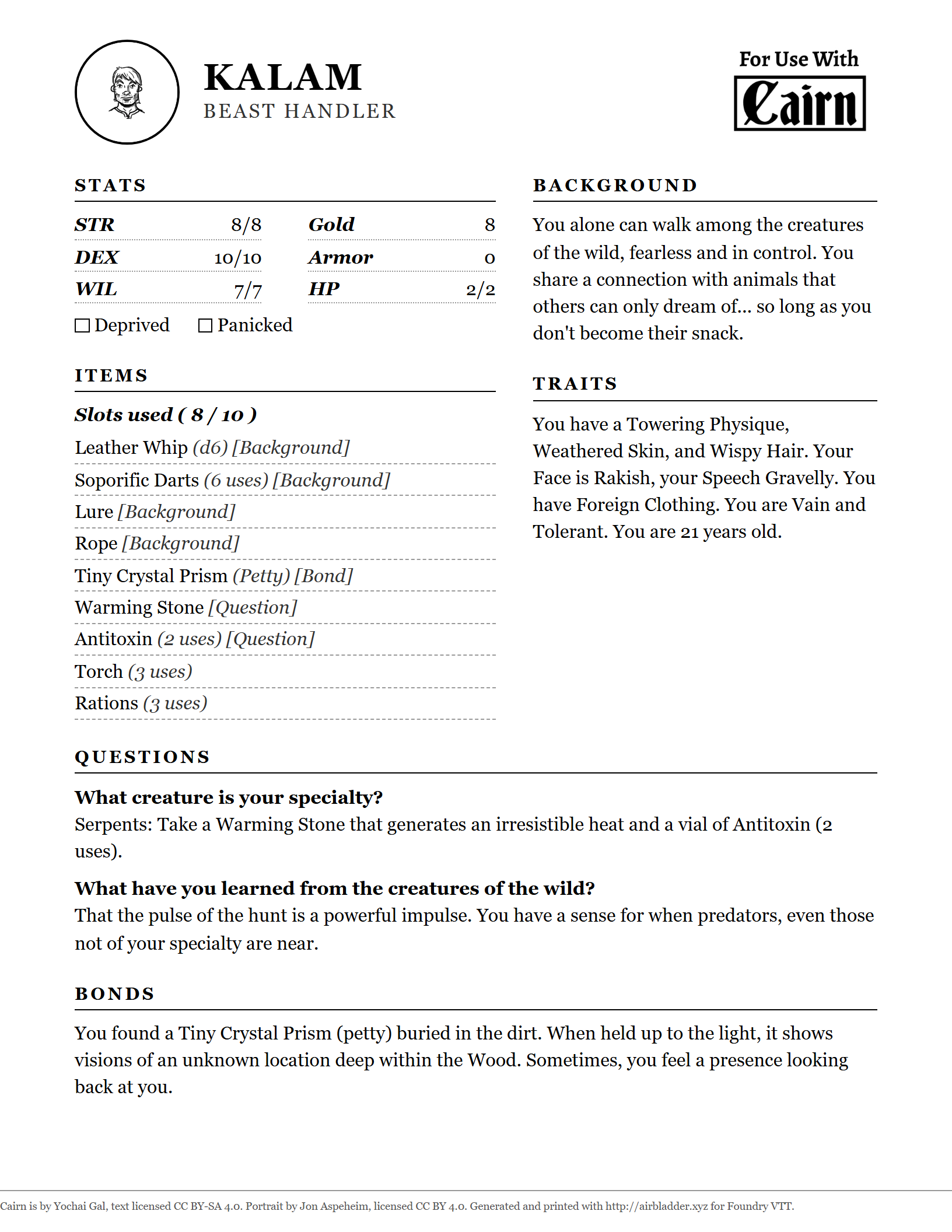
Pre-generated Player Characters are also available on Dom Bosco's Itch Page.
Guides
Generating characters
Deal a character with one click or import one from Kettlewright — Wardens and, when allowed, players — then re-roll single parts in Character Creation Mode until the person feels right. Or clear Use random generation and start from an empty sheet, to transcribe one you rolled on paper.
Creating custom backgrounds
Write your own Cairn 2e background — gear, example names, and two d6 question tables — lint it, and keep it clear of the shipped Custom pack that updates overwrite.
Sharing custom backgrounds
Hand a background you wrote to another world or another Warden.
Customizing bonds
Replace the 2e Bonds table with a world table of your own — canon backgrounds included — or give one background its own; imported rows keep their gold and gear.
Customizing the marketplace
Set your own prices and stock your own goods. Import a Market table into your world, edit it freely, add an aisle of your own — and your shop survives every update.
Using your own portraits
Put your own portrait art into the character generator's gallery — with pc, npc, monster and companion subfolders, each kind draws from its own.
Generating factions
Roll a faction dossier from the Setting Seeds tables, then let the sheet die deal your canon factions to NPCs and monsters. Clear Use random generation to type a name and choose every part from lists instead — or name it and leave the rest on Random.
Generating NPCs and hirelings
One button for somebody the party meets — a Background, a Quirk and a Goal off the Warden's Guide tables, over a rolled stat block and a full pack — and one for somebody they pay, who arrives with a career's stat block, gear and day rate. Clear Use random generation for an empty sheet with the pick-lists ready.
Generating monsters
Pick a danger tier and roll a complete monster — statblock, attack, description and portrait — then re-roll it harder without losing its face. Clear Use random generation to start from an empty sheet instead.
The Warden's Dashboard
Every one of the 45 Warden roll tables on a button, in one resizable, detachable window — travel, encounters, people, factions, monsters, and any table you have made yourself. Choose who sees each result, or roll a whole set into one card. The date, the watch and today's weather sit in a band across the top, with the calendar a button away.
Keeping time
A day is three watches in Cairn, and the clock above the player list says which one it is. Turn on Vald's calendar for twelve months, a six-day week and four seasons with a weather table each — plus a month grid anyone can open, a log of what the sky did, and your own days marked on the grid.
Tokens and sheets
Why a hireling's tokens all share one sheet while a monster's each take their own damage, which creation route gives you which, and where to find Link Actor Data when you want to change it.
Encounter tables
Roll the shipped terrain tables and put the result on the map — one click rolls the quantity and places neutral tokens — then build your own: type the dice, drag the monster in.
Supplied macros
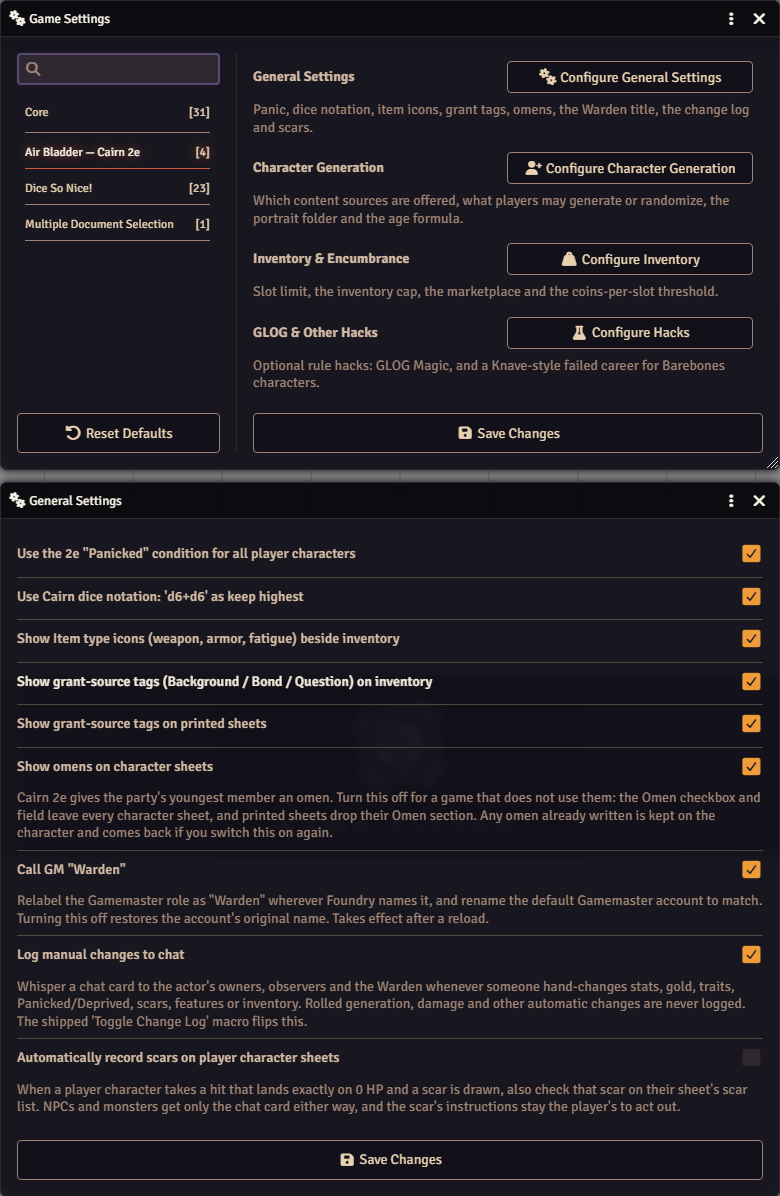
Four Warden switches ship in the Macros compendium. Drag one to the hotbar and flip the change log, player character creation, the marketplace, or the players' Character Creation tools — live on every connected client, no trip into Game Settings.
GLOG Magic in Foundry
Flip the world switch, hand out a Grimoire from the Reliquary, transmute spells into bound pages, and cast with Magic Dice — what the setting converts, what stays prose, and how to customize the Mishaps.
Dice formulas
What a formula can say — Cairn's keep-highest plus sign, minimums and maximums in braces, and ready-made recipes for the Age formula setting.
Translating — the spreadsheet way
Translate the interface and the game content with no coding and no git.
Translating — the git way
Work directly in the repo with pull requests, the way the Spanish translation is done.
Status
Early, active development. Send feedback and art. The system is being rebuilt on the original's editable-compendium architecture — gear lives in Item compendia a Warden can edit in one place, and character generation and the marketplace reference those packs by name.
Translators welcome. Spanish is the one language with a real translation (98% of the interface and nearly all the game content, by Malecho). Danish, French, German, Polish and Brazilian Portuguese interface files came from the original Cairn system and sit at about 5%, unmaintained — untranslated text falls back to English, so they work, they're just mostly English. The tooling takes any language; what's missing is people.
Generative-AI art will never appear in this project — ever. Nothing under
art/ or icons/ is machine-generated, and every set names its artist
and its licence. The code is written with AI assistance, using
Claude Code, on a base inherited from
Yochai Gal's original Cairn system; the design decisions in it are the maintainer's own and are
recorded in the commit history. Who made what, per category:
docs/provenance.md.
Credits & licences
Air Bladder mixes several licensing regimes — please keep the attribution intact.
- Game text — CC BY-SA 4.0
- The Cairn rules and text (1st and 2nd edition) are by Yochai Gal. 2e content in this system inherits that licence; derivatives must share alike and attribute him.
- Spanish translation — CC BY-SA 4.0
- The Castilian Spanish (es-ES) translation is by Malecho, and as a derivative of the game text carries the same licence.
- Code — MIT
- The system code descends from Cairn-FoundryVTT by Yochai Gal & Oskar Świda, itself descended from the Electric Bastionland system.
- Cairn compatibility marks — CC BY-SA 4.0
- The "For Use With Cairn" stamp shown below — the same mark the character sheet and the printed page display — and the older "Compatible with Cairn 2e" badge it replaced. Both are downloaded unmodified from cairnrpg.com/resources/logos and shipped unmodified, attributed to Yochai Gal.
- Air Bladder logo — © Lydia Comer, all rights reserved; monster and character art — CC BY-NC-SA 4.0
- Everything in
art/lydia-comer/is by Lydia Comer. The 22 creatures and 31 characters offered in the portrait picker are licensed CC BY-NC-SA 4.0 — noncommercial use only, attribution required, adaptations shared alike, and the artist states no AI was used. They ship re-encoded to WebP q95, the token halves sized for the canvas at 400×400; beyond that the artwork is left as drawn. The logo stays all rights reserved, licensed to the Air Bladder system for inclusion and redistribution as part of the system and its forks, and for use representing and promoting the project. - Character art — CC BY 4.0
- The 80 paired portrait and token images are by Jon Aspeheim (Lemur's Portraits). The artist states these were created without AI. Modified: the source ships 1000×1000 PNG portraits and no tokens — the portraits are re-encoded to WebP at the same size, and the tokens are derived from them, cropped and downscaled to 256×256 for the canvas.
- "Backgrounds for Cairn" — CC BY-SA 4.0 (text)
- The seven class backgrounds in the Custom compendium are from Backgrounds for Cairn by Gordon McCormick, based on Cairn and BECMI D&D. Text only — the booklet's art is not included.
- GLOG Magic — CC BY-SA 4.0
- The 100 spells, the Mishaps table and the two GLOG journals are the official GLOG Magic hack's text from cairnrpg.com, transcribed verbatim. The cast flow's resolved-text design comes from a casting macro by Malecho.
- game-icons.net art — CC BY 3.0
- Class icons (
icons/) are from game-icons.net by Lorc, Delapouite, Skoll & SeregaCthtuf; the Game-Icons gallery in the portrait picker (art/game-icons/) is from the same site under the same licence, its authors listed inart/game-icons/CREDITS.md. Per-icon credits are recorded in the repo. - Tlomdev's Tokens — CC BY-SA 4.0
- The 368 black-and-white token drawings in
art/tlomdev/are by tlomdev (Tlomdev's Tokens), offered in the portrait picker's Tlomdev gallery; the Kettlewright Portraits subfolder carries the same drawings as Kettlewright ships them, filenames included. Modified: the category drawings are re-encoded from PNG to WebP (quality 95) and changed in no other way; the Kettlewright subfolder is not re-encoded. Attribution and provenance are inart/tlomdev/CREDITS.md. - Alegreya typeface — SIL Open Font License 1.1
- This page is set in Alegreya by Juan Pablo del Peral and the Alegreya Project Authors (Huerta Tipográfica), © 2011. The fonts are self-hosted, so the page makes no external requests, and both notices travel with them:
fonts/OFL.txtandfonts/license.txt. Modified: converted to WOFF2 for web delivery and changed in no other way. The OFL counts a format change as a "Modified Version" (§1, "or by changing formats"), so this is not an unmodified redistribution and does not claim to be — Alegreya's notice declares no Reserved Font Name, so the name stays usable.